










3.3
Paid
Microsoft Word
For everyday writing
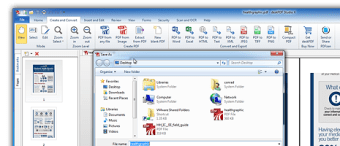
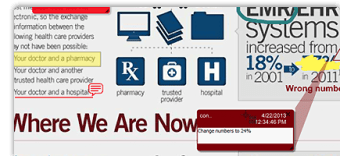
Studio X is the ultimate paperless solution with a suite of PDF tools to edit, create, convert, sign & share PDFs. All new for 2013, Studio X is a fully featured Adobe Acrobat alternative with pro PDF tools to directly edit the existing text & images in a PDF, add markup, convert PDFs to other formats & create PDFs from any application. Markup tools include freetext & freehand drawing, shapes, sticky notes, & more. Add bookmarks & hyperlinks, stamps, watermarks & letterhead to give your documents a professional polish. Studio X can create PDFs from over 300 file types and batch convert images to PDF, and convert PDFs to Word (.doc, .rtf, .txt), Excel (.xls, .csv), Image (.png, .jpg, .bmp, .tiff), & other file types (.html, .xml).
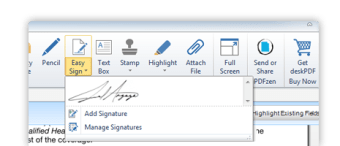
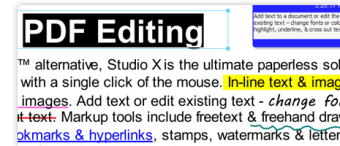
Studio X combines advanced PDF editing tools & turbo-charged performance in a re-designed, modern interface. With Easy Sign, you can sign documents with a single click of the mouse. In-line text & image editing make it easy to change existing text & images. Add text or edit existing text - change fonts or colors, highlight, underline, & cross out text. Studio X includes ready to use pre-made stamps & with bates stamping it's easy to add page numbers & custom headers & footers. Merge PDFs, insert pages from another PDF, re-arrange pages, or extract pages into a new PDF. Pages can be rotated, cropped, or deleted, & page sizes can be adjusted on the fly. With deskPDF Studio X + PDFzen its never been easier to share & collaborate on your PDFs.
Business professionals, home office, students, novice, and casual users will all find the powerful PDF editing features in this professional PDF editor very easy to use.
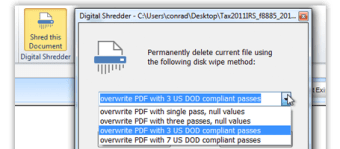
Studio X provides security features including a Digital File Shredder with DoD compliant 7 pass wipe, up to 256 bit banking grade encryption & password protection, digital IDs, trusted contacts & certificate security. Collaboration is easy with file attachments & commenting options, and tools to create fillable PDF forms which can be filled in electronically. Integrating with the free PDFzen.com app means you can publish your PDFs to the cloud and share the link by email, social media, or fax.
Create PDF files in a snap
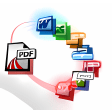
Convert your PDF documents to 15 other formats
A powerful yet affordable PDF editor
Trial version
x
Windows
Windows 8.1
English
15.4K
85.10 MB
Have you tried deskPDF Studio X? Be the first to leave your opinion!
Add reviewCreate PDF files in a snap
Convert your PDF documents to 15 other formats
A powerful yet affordable PDF editor
Get to Know Windows 8 Without Installing Developer Preview

Alter your TIFF files quickly and in batches
A powerful tool for working with CSV files.
Free flow diagram and flowchart maker

Financial accounting software for personal and professional use
Scan your documents directly in PDF
A trial version Business program for Windows

ConceptDraw MINDMAP supports numerous map inputs, including Microsoft PowerPoint, Word, Excel, Project, EverNote and Outlook

Printing software for producing professional looking labels and cards
Define, design and create customizable data dictionaries for SPSS, SAS & STATA.
Practical general purpose agenda
One of the best market analysis softwares available
A free Business program for Windows

A Free Productivity program for Windows
PDF Book Translator Review

A trial version app for Windows, by Fookes Software.
Personal Contacts Tracker





